Swift package · macOS 26 · Swift 6 · version 1.1.0
A pill at the notch, for your Mac app.
You say what to show. PolytopicNotch places it, sizes it, animates it, keeps it clear of other notch apps and menu bar managers, opens it on hover, asks your questions, and shares the notch with other apps that use it.
Open source under the GPL v3, with a commercial license for closed-source and App Store apps. No dependencies.
What you get
Everything the pill does, so your app doesn’t have to.
A pill at the notch
A quiet indicator beside the notch (a level meter or a line, a status dot), a body that drops below for news, a larger one on hover, and questions with buttons. Without a notch it hangs below the menu bar.
Good manners
It notices other notch apps and menu bar managers and steps aside or moves under them. No Accessibility or Screen Recording permission, and it never moves other apps’ menu bar items.
Questions never get lost
When the pill can’t show a question (no notch, the pill turned off, another app has the notch), a small floating window asks it instead.
Live lists
A scrolling list that follows its newest item and holds still while the user points at a row, has a menu open or scrolls back to read. A click never lands on a row that slid in under the pointer.
Menus that keep it open
NotchMenuButton opens a native menu and holds the pill open for exactly as long as the menu shows.
Nothing ticks while idle
No timers per frame, no polling while nothing shows. Settings rows for your app, a live theme hook, and diagnostics for support reports.
The dock
Several apps, one notch.
Apps that use the package share the notch in a style the user picks, whoever made them. Change the style in any app and all of them follow, sandboxed and App Store apps included.
Priority One app at a time.
An urgent question first, then whichever app wants the notch most; the others step aside until it’s their turn.
Switcher Priority, plus a dot per app.
The open pill shows a dot for each docked app. Click one to hand the notch to that app.
Split Side by side.
Each app keeps an ear of the band beside the notch, and what they show hangs below in equal parts.
Merged One stacked pill.
The top app hangs from the notch and each next app’s part joins below it, as one black pill.
Trust. Any app signed for shipping (Developer ID or Mac App Store) can join; ad hoc and unsigned builds can’t. Messages between apps carry no content: no text, no titles, only sizes, modes and how much each app wants the notch. A badly behaved app can at worst make the others step aside; it can’t hide a question, and the user can block it.
Quick start
Fill the content. The pill does the rest.
NotchContent is the only thing the pill reads from your app: a status, a symbol, a level, and SwiftUI bodies for what drops below the notch, what opens on hover, and a question.
1Add the package in Xcode (File › Add Package Dependencies…) or in Package.swift:
// Package.swift
dependencies: [
    .package(url: "https://github.com/polytopic-systems/polytopic-notch.git", from: "1.1.0"),
],
targets: [
    .target(name: "MyApp", dependencies: [.product(name: "PolytopicNotch", package: "polytopic-notch")]),
]2Make the pill once, at launch, and post to it.
import AppKit
import PolytopicNotch
import SwiftUI

@MainActor
final class MyNotch {
    let content = NotchContent()
    let settings = InMemoryNotchSettings()            // or your own NotchSettingsStore (Recipes › Settings)
    let neighbors = NotchNeighborMonitor()
    lazy var controller = NotchPanelController(content: content, settings: settings, neighbors: neighbors)
    lazy var prompts = NotchPromptWindowController(content: content) { [unowned self] in controller.pillShowsPrompt }

    func start() {
        content.symbol = "waveform"
        content.title = "My App"
        content.status = .quiet                       // a meter and a status dot beside the notch
        content.expanded = NotchBody(height: 160) { Text("Shown on hover").padding() }
        controller.start()
        observe { [prompts] in prompts.update() }     // a question the pill can't show floats in a window
    }
}

/// Runs `apply` again whenever an observable value it read changes.
@MainActor
func observe(_ apply: @escaping @MainActor () -> Void) {
    withObservationTracking(apply) { Task { @MainActor in observe(apply) } }
}
Your own panel
Put anything in the panel.
Every body in the pill is a SwiftUI view you write: a headline, a panel with controls, a list, a question.
- Tabs with
NotchTabBar, the selection kept in your model so it survives the pill closing. - Menus with
NotchMenuButton, which holds the pill open while the menu shows. - Live lists that hold still while the user points at a row.
- Room for the dock: when several apps share the notch, the package keeps their dots clear of your controls.
struct MonitorPanel: View {
    @Bindable var model: Monitor        // your own model: the panel is rebuilt on every open

    var body: some View {
        VStack(alignment: .leading, spacing: 8) {
            HStack {
                NotchTabBar(Monitor.Tab.allCases, selection: $model.tab) { $0.title }
                NotchMenuButton(menu: model.menu) { _ in Image(systemName: "ellipsis.circle") }
            }
            NotchLiveList(model.feed) { FeedRow(item: $0).notchLiveAction() }
        }
        .padding(16)
    }
}
The example app
NotchDemo, in one file.
A menu bar app in the repository (Examples/NotchDemo) that shows a notice, a live session with a live list, a menu in the pill, a question and the dock’s settings. Everything it shows is made up; it sends nothing anywhere.
Build two signed copies with make-app.sh to watch them share the notch.
cd Examples/NotchDemo
swift run --scratch-path ~/Library/Caches/notch-demo-build NotchDemo
./make-app.sh --identity "Developer ID Application: …"     # two signed copies that share the notch
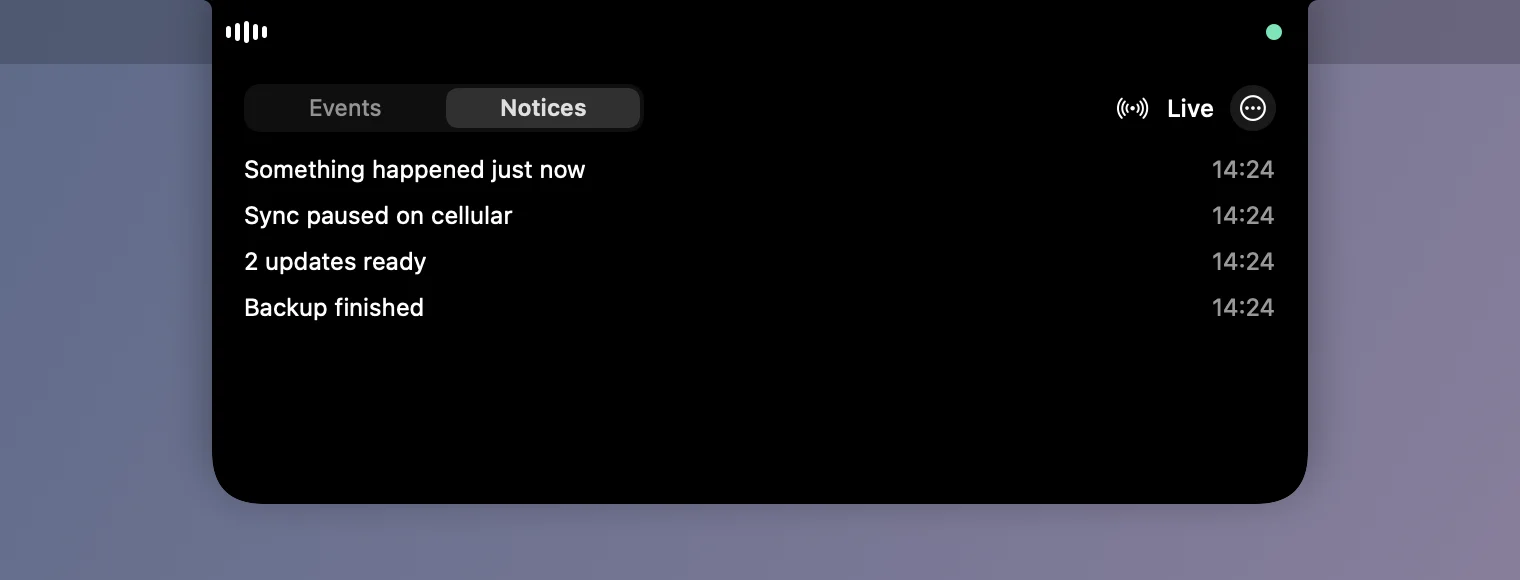
A notice drops below the notch. 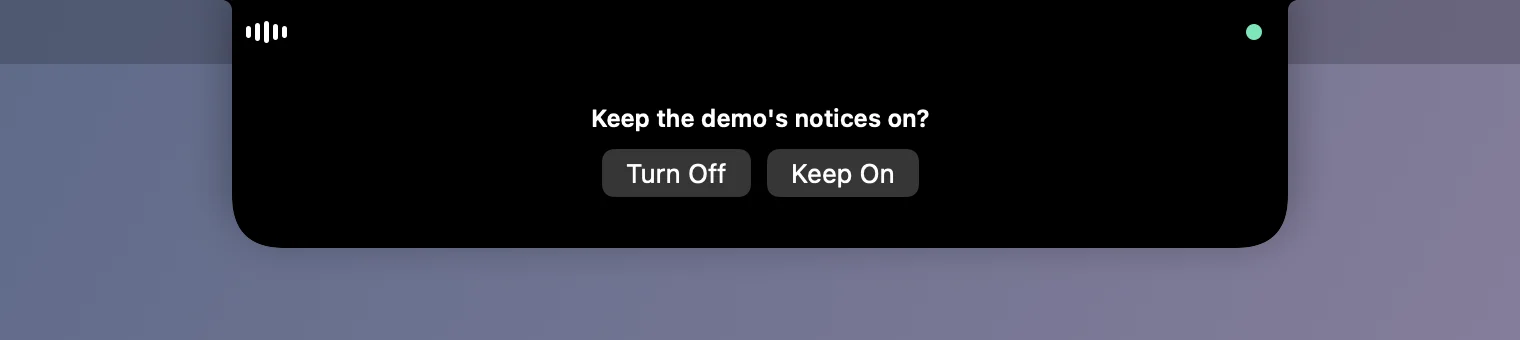
A question with answer buttons. 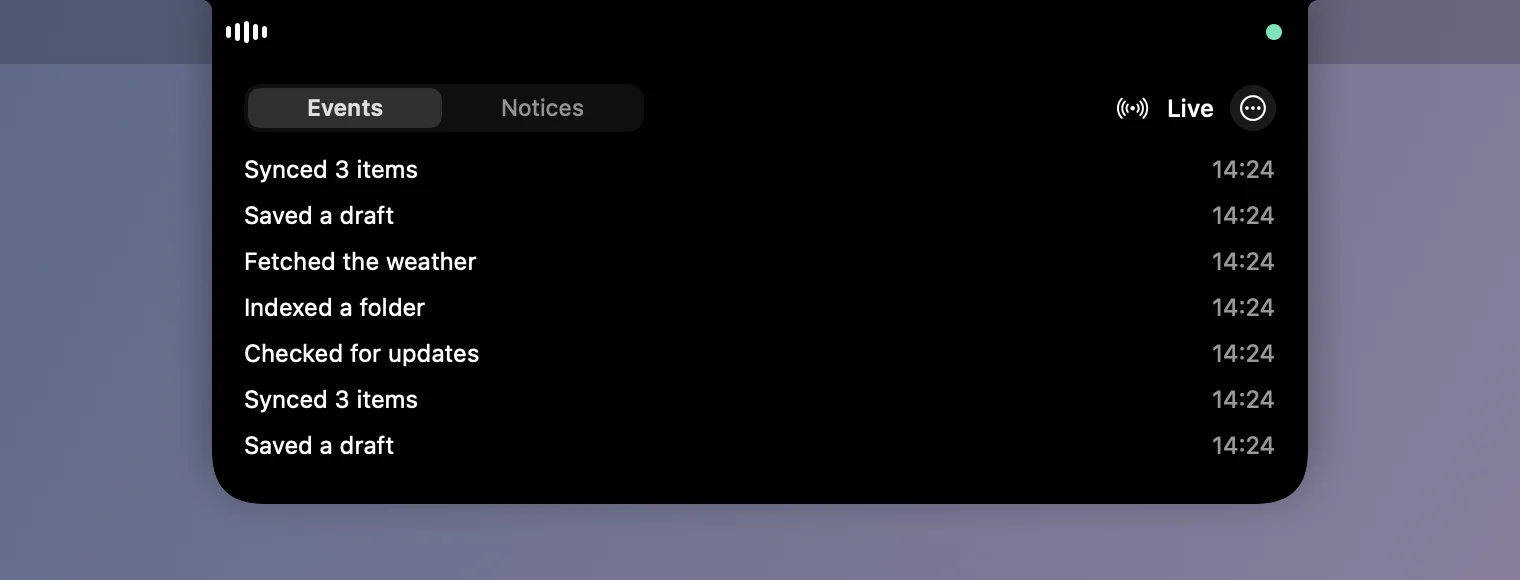
Hover: a live list with a menu button, following its newest row. 
Quiet: a level meter and a status dot beside the notch. 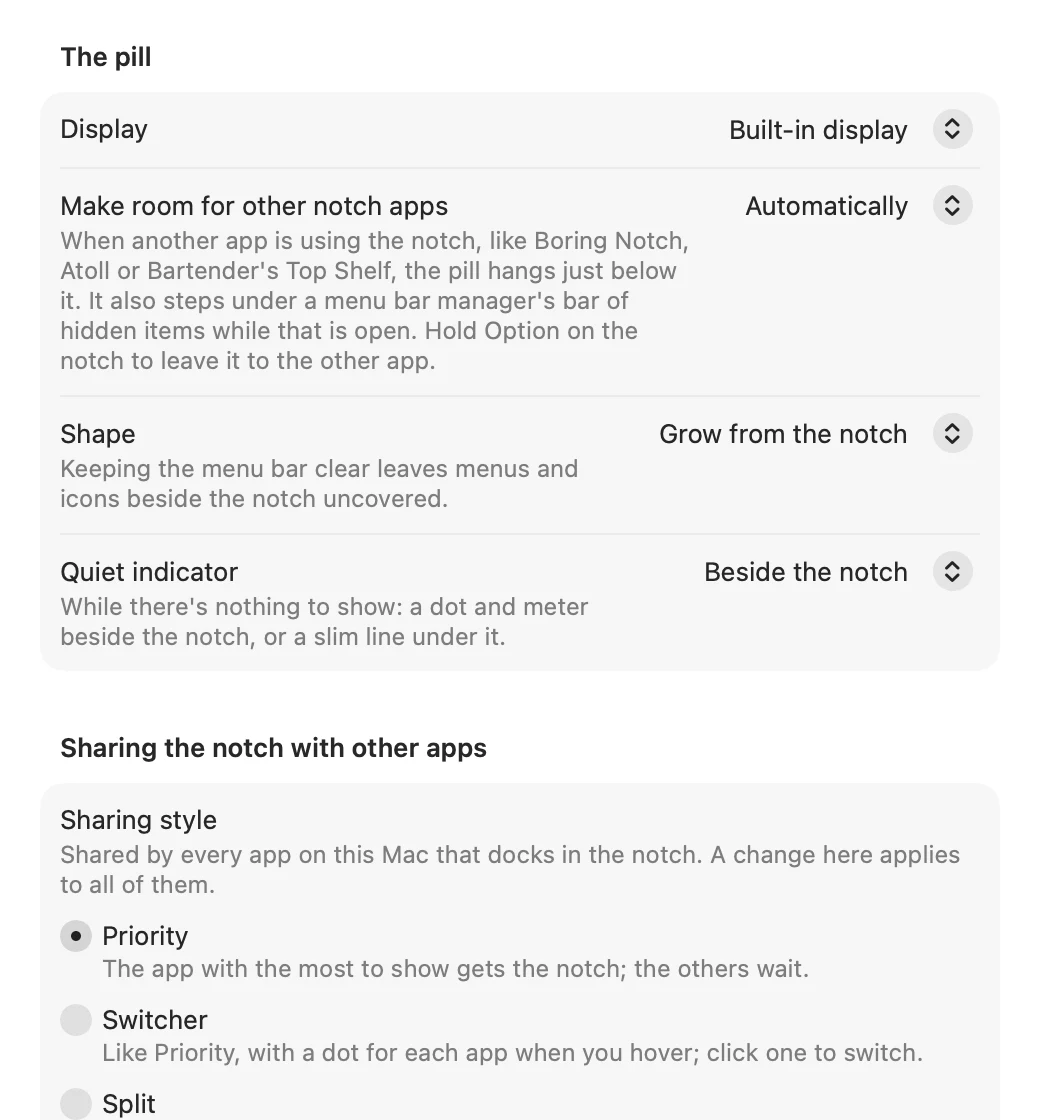
Settings: the package’s own rows, the dock’s style among them.

Rendered from NotchDemo’s own views on a 14-inch MacBook Pro’s notch geometry.
Licensing
Free for open source. Licensed for everything else.
GNU GPL v3
Free
For apps released under the GPL v3 (or a compatible license), with their source code. Also for evaluating and prototyping.
Commercial
Indie, Team, Enterprise
For closed-source apps, paid or free, and anything on the Mac App Store. No license keys, nothing checked at runtime.
In use
Made for our own apps first.
Tattle, a network monitor and firewall, and Live Transcript, live captions for meetings, share the notch through PolytopicNotch.